

Product InformationProduct ImagesCompanyContactRecommended Models
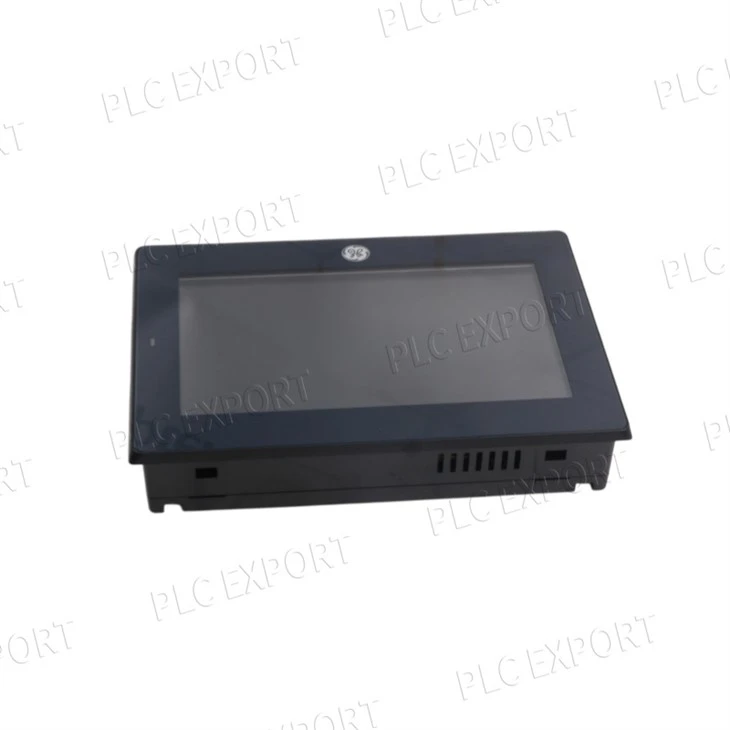
GE IC754VBI12CTD-HH QuickPanel View 12-Inch Color Touch Operator Interface
Legacy 12.1-inch color touch operator interface for an installed QuickPanel View application. Confirm the complete -HH nameplate, project backup, firmware, communication ports, 24 V DC supply and panel cutout before replacement.
What buyers should verify before selecting IC754VBI12CTD-HH
Application recovery
Obtain the HMI project, runtime details, communication settings and any retained recipes before removal.
Hardware fit
Compare display size, panel cutout, gasket, clamps, rear clearance, 24 V DC wiring and every active port.
Complete -HH identity
Use the full nameplate and revision records; public documents do not prove a separate -HH performance specification.
Description and purpose
IC754VBI12CTD-HH identifies a legacy QuickPanel View operator interface used to display process status, alarms and configured control screens for the connected machine or process. The hardware can only resume service when the correct HMI application, runtime environment and communication drivers are restored.
For replacement work, save the project before the installed terminal is removed. Record firmware or operating-system information, Ethernet addresses, serial settings, PLC path, startup options and touchscreen calibration. Public GE documentation supports the IC754VBI12CTD base platform but does not publish a separate -HH feature set; treat -HH as part of the complete purchase and revision identity.
Purchase verification
Send clear front, rear and side-label photographs, project-software version, runtime or firmware details, communication protocol and port use, 24 V DC power information and panel-cutout measurements. Hardware appearance alone is not enough to confirm a working replacement.
Technical specifications
Published base-platform values are restated from GE QuickPanel View hardware documentation, including GFK-2306. Confirm the full IC754VBI12CTD-HH nameplate, revision records and installed application before selection.
Need the terminal to restart with the correct screens and communications?
Share the complete IC754VBI12CTD-HH label, project backup, firmware/runtime information, active Ethernet or serial connections, panel dimensions and power details. We will review the installed evidence before quotation.
Applications
Operator visualization
Displays project-defined machine or process values, alarms, status and operator controls.
Installed HMI replacement
Restores a legacy panel position after project, port, power and cutout compatibility checks.
Ethernet or serial interface
Communicates with the controller through the exact protocol and port configuration used by the saved project.
Panel maintenance
Supports service work where the bezel, touch overlay, gasket, clamps and connector condition must be reviewed together.
Ordering information
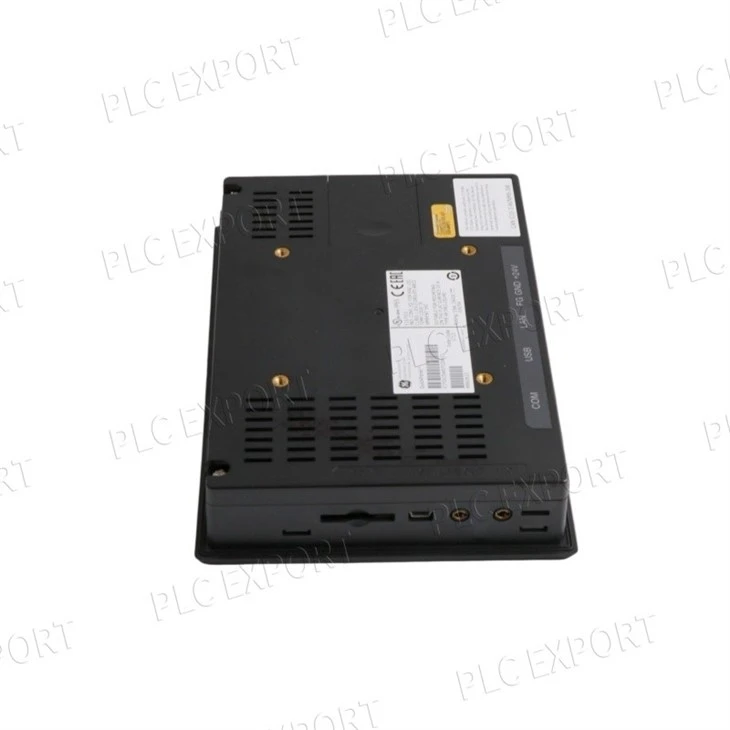
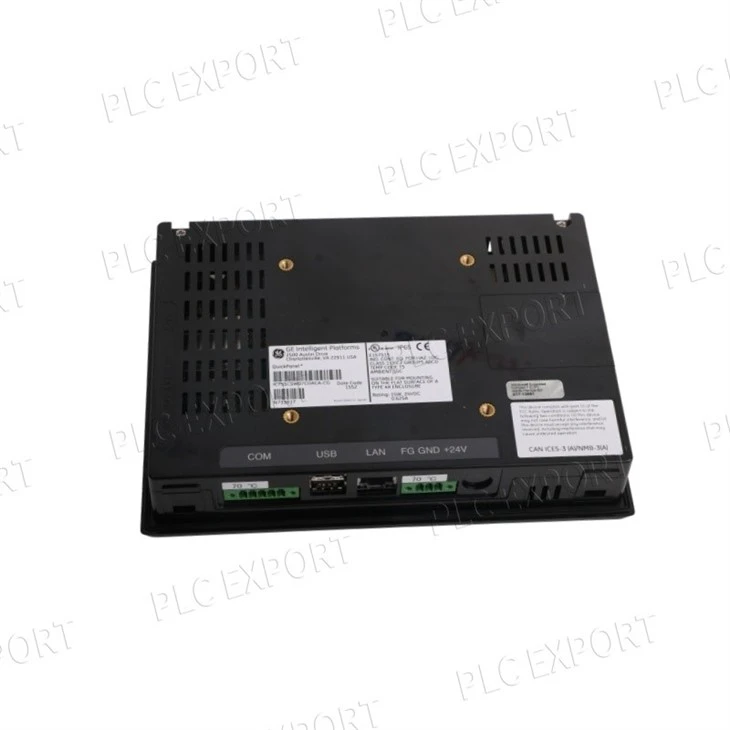
Product image and identification notes
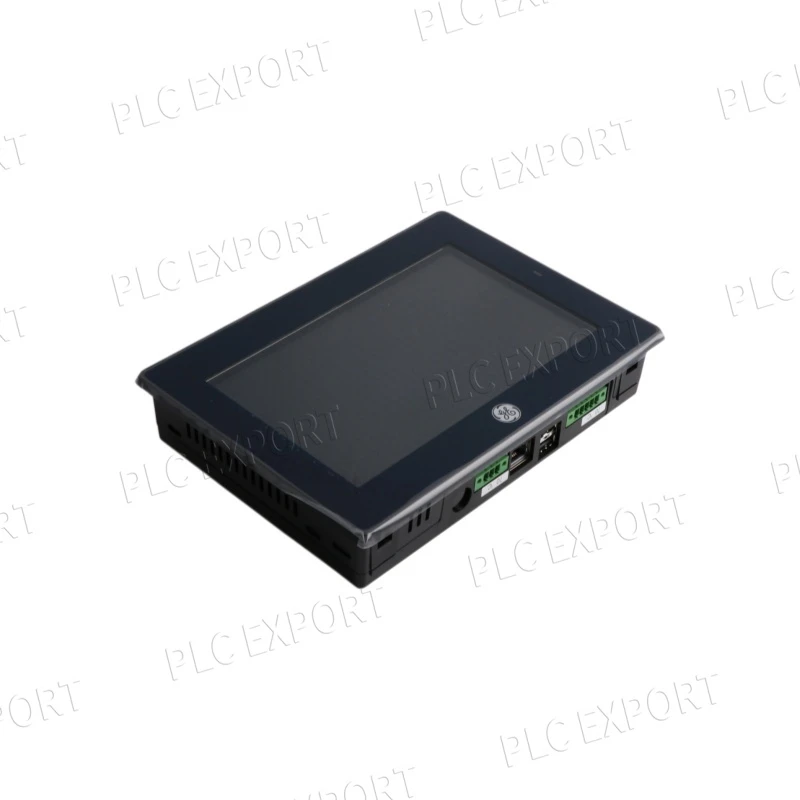
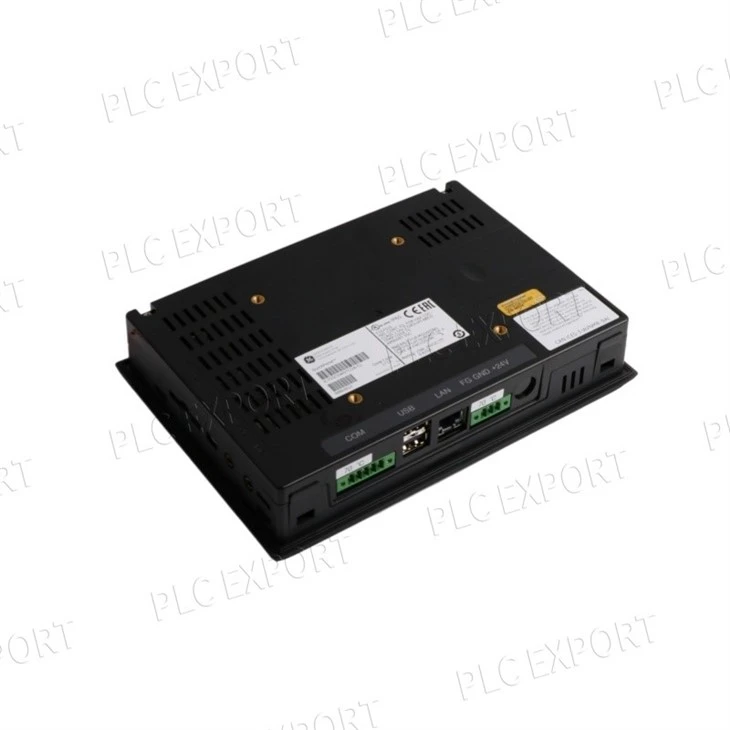
Show the label, rear ports and panel mounting together
Photograph the complete front bezel and active display, the rear power connector, every Ethernet and serial port in use, removable media, side nameplate with the full -HH suffix, and the installed clamp and gasket arrangement. Include a ruler or panel drawing when cutout fit is important.
Buyer check: A terminal may power up and still be unsuitable because the project target, firmware, driver set, cutout or connector arrangement differs.
FAQ about IC754VBI12CTD-HH
Can I replace IC754VBI12CTD-HH without a project backup?
Do not plan on a hardware-only exchange. Export the HMI application and record its software version, runtime or firmware, PLC addresses, Ethernet or serial parameters, startup settings and any retained recipe data before removing the old terminal.
Which details matter most when matching another 12-inch QuickPanel?
Match the complete IC754VBI12CTD-HH nameplate, revision, screen size and resolution, panel cutout, power input, rear port set, protocol drivers and project target. Similar bezel size does not prove software or wiring compatibility.
What should I check when the new panel powers up but PLC values do not update?
Check the loaded application, PLC path and device address, IP or serial settings, protocol driver, cable pinout, controller status and network link. A bright display confirms power, not controller communication.
How can I reduce touchscreen and sealing problems after installation?
Inspect the touch overlay, bezel, gasket, clamps and cabinet surface; clean the mating area; tighten clamps evenly; and run touchscreen calibration after the project is restored. Replace damaged sealing parts rather than reusing them.
Can a current 12-inch QuickPanel+ be installed as a direct substitute?
Not automatically. A migration requires checking project conversion, runtime and drivers, panel cutout, rear clearance, power connector, Ethernet and serial wiring, removable media and application licensing. Treat it as an engineering change, not a drop-in swap.
What should I send for an accurate IC754VBI12CTD-HH quotation?
Send front, rear and side-label photos, the complete -HH identification, firmware or startup screen, project-software version, communication protocol and active ports, panel cutout, 24 V DC supply details, quantity and destination.
About PLCEXPORT
PLCEXPORT supports maintenance, engineering and procurement teams with model verification, responsive quotations and worldwide automation-parts supply.


Recommended models
Published product links are grouped by brand. This selection is arranged specifically for the IC754VBI12CTD-HH page.
GE
Allen-Bradley
Others - other recommended brands
Need a verified IC754VBI12CTD-HH for an installed system?
Share the full nameplate, installed configuration, clear connector or terminal photos, quantity and destination. Myrtle will review model identity, compatibility and delivery requirements before quotation.
Hot Tags: ge ic754vbi12ctd-hh quickpanel view 12-inch color touch operator interface, China ge ic754vbi12ctd-hh quickpanel view 12-inch color touch operator interface manufacturers, suppliers


