




Products Specifications
| Attribute | Specification |
|---|---|
| Part Number | 1775-P3 |
| Module Type | Power Supply Module |
| Application | Designed for large factories and industrial environments |
| Installation | Relatively easy; recommended to consult user manual |
| Performance Rating | Rated 5 out of 5 stars by most customers (longevity, performance, energy conservation) |
| Control Elements | Display panel, numerical keypad, arrow keys |
| Suitability | Small, medium, and large businesses |
| Key Features | Flexibility, reliability, connectivity |
| Operational Focus | Long-term use |
| Energy Efficiency | Designed to boost energy efficiency and reduce electricity costs |
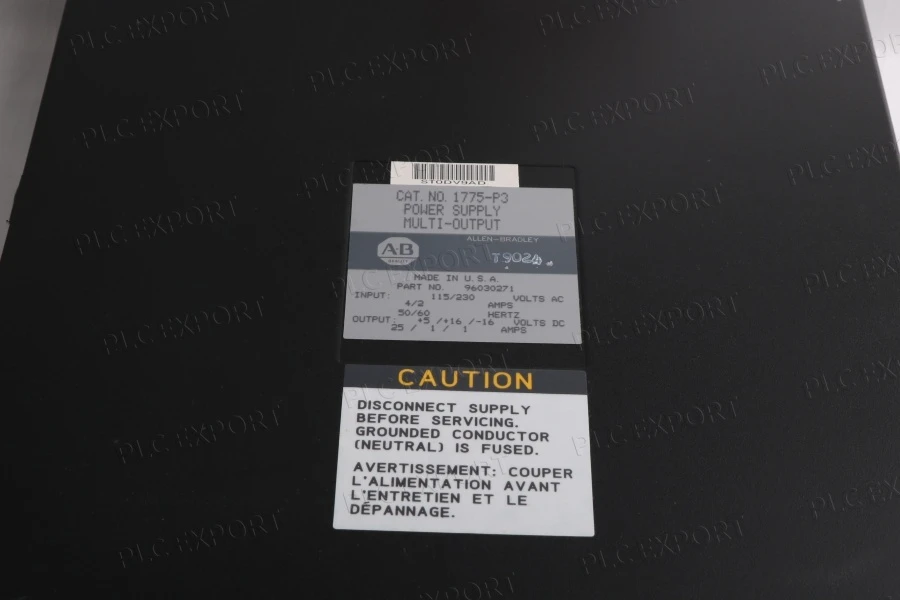
The Allen Bradley 1775-P3 is a high-efficiency power supply module engineered to deliver reliable and consistent performance in industrial environments. Designed to maximize operational efficiency, this module helps reduce overall energy consumption while maintaining stable power output for demanding applications. It is especially well suited for large factories and industrial facilities where uninterrupted communication and dependable system operation are critical.
Installation of the 1775-P3 is straightforward for technically qualified personnel. However, it is strongly recommended that users review the official documentation to ensure proper installation procedures and correct wiring practices. When integrating the module with other electrical equipment, supervision by a skilled professional is advisable to ensure safe and accurate connections.
Contact Information
Our address
32D floor, Guomao Building, No.388, Hubin South Road, Siming District, Xiamen
Phone Number(Wechat/Whatspp)
+ 86 18030132586
cn@mooreplc.com

Installtion Guidance
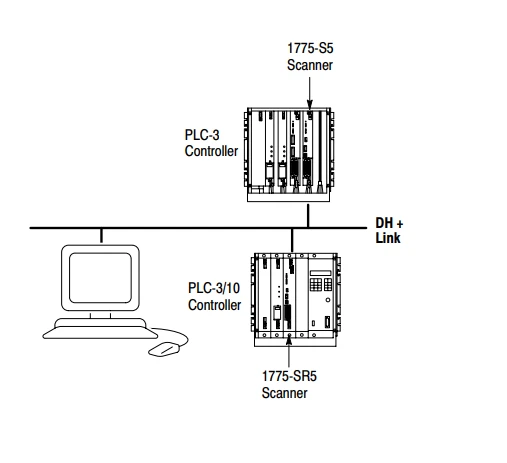
1. Install the dc power cable.
2. Plug the cable assembly into the connectors on the power-supply module, connect the 8-pin control connector cable to the power-supply module, and insert the power-supply module in the right-most slot of the chassis.
3. Set the voltage switch for the proper range.
4. Connect the ac power line to the terminal strip on the power-supply module and connect any relay wires, then insert the PLC-3/10 module(s) into the chassis and turn the ac power on.
5. Close the front door of the chassis and rotate the two retaining screws approximately 2-1/2 turns counter-clockwise.
Power Supply Module Indicators
If the AC ON indicator is lit and either the AC OK or DC OK indicators are not lit, you must shut down ac power (or toggle the remote on/off for the PLC-3/10 chassis or lift and return the module interlock bar on the PLC-3 chassis) to reset the supply.
If this does not clear the situation, you must troubleshoot the chassis using the PLC-3 Family Controllers Installation and Operation Manual, publication number 1775-6.7.1.


Lastest Arrivals
| IC200UDR005-CH | 3500/22M 288055-01 |
| IC200ALG266 | 6ES7153-2BA02-0XB0 |
| IC200ETM001 | 6GK1503-3CB00 |
| IC200CPUE05-JP | 330500-02-00 |
| IC200ALG630 | 330101-00-32-05-01-05 |
| IC200ALG620 | 330180-51-05 |
| IC200ALG320 | 330180-51-00 |
| IC200PWR002 | IC200MDD844 |
| IC200MDL650 | IC200ALG430 |
| IC200MDL750 | CI830 3BSE013252R1 |
| INNIS01 | 6ES7318-3FL00-0AB0 |
| NFBU200-S05 S2 | S8VK-C48024 |
Hot Tags: allen bradley 1775-p3 power supply module, China allen bradley 1775-p3 power supply module manufacturers, suppliers, 1771-P5, 1746 OA16 pdf, allen bradley, Allen Bradley 1746 OA16, 1746 OA16 manual, Allen Bradley 1746 OA16 Output Module PLC Module


